Tag: cnn
All the articles with the tag "cnn".
    # self.inplanes = 64
    # self.layer1 = self._make_layer(block=Bottleneck, 64, layers[0]=3)
    def _make_layer(self, block, planes, blocks, stride=1):

        downsample = None

        # identity 값을 낮춰서 shape을 맞춰주기 위함. channel도 맞춰주기.
        if stride != 1 or self.inplanes != planes * block.expansion: # 64 != 64 * 4

            downsample = nn.Sequential(
                conv1x1(self.inplanes, planes * block.expansion, stride), #conv1x1(256, 512, 2) #conv1x1(64, 256, 2)
                nn.BatchNorm2d(planes * block.expansion), #batchnrom2d(512) #batchnrom2d(256)
            )

        layers = []
        layers.append(block(self.inplanes, planes, stride, downsample))
        # layers.append(Bottleneck(64, 64, 1, downsample))

        self.inplanes = planes * block.expansion #self.inplanes = 128 * 4

        for _ in range(1, blocks):
            layers.append(block(self.inplanes, planes)) # * 3

        return nn.Sequential(*layers)
ResNet
Plain network는 skip connection을 사용하지 않은 일반적인 CNN 신경망을 의미한다. 이러한 plain net이 깊어지면 깊어질수록 backpropagation을 할 때 기울기 소실이나 폭발이 발생할 확률이 높아진다.
criterion = nn.CrossEntropyLoss().to(device)
optimizer = torch.optim.SGD(vgg16.parameters(), lr = 0.005,momentum=0.9)

# 학습이 진행됨에 따라 lr 조절
lr_sche = optim.lr_scheduler.StepLR(optimizer, step_size=5, gamma=0.9) # optimizer의 step이 5번 진행될 때마다 gamma만큼 곱함
기존과 다른 점은 학습된 정도에 따라 learning rate를 줄이는 코드가 추가되었다는 것이다.
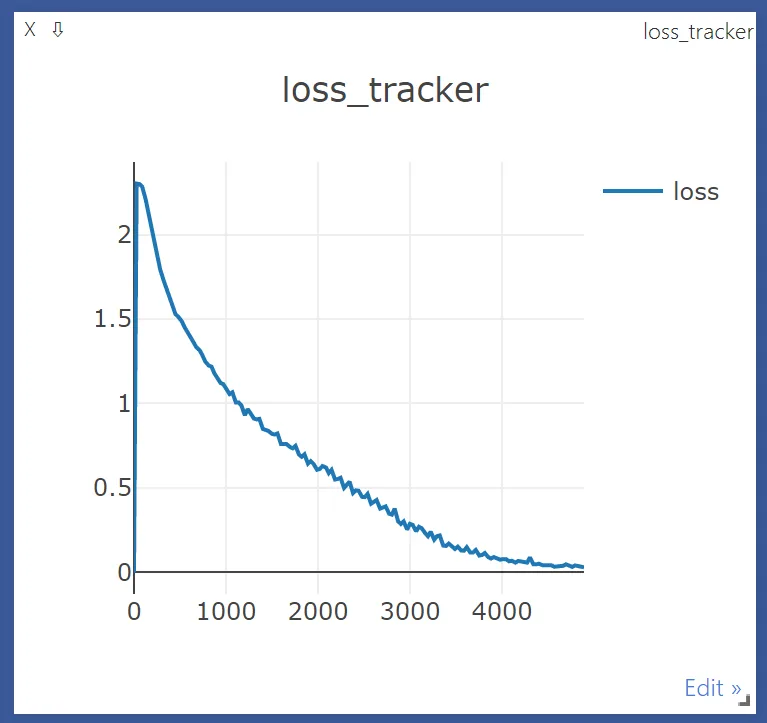
lr_sche.step()이 추가된 것 말고 크게 다른 점은 없다.
correct = 0
total = 0

with torch.no_grad():
    for data in testloader:
        images, labels = data
        images = images.to(device)
        labels = labels.to(device)
        outputs = vgg16(images)

        _, predicted = torch.max(outputs.data, 1)

        total += labels.size(0)

        correct += (predicted == labels).sum().item()

print('Accuracy of the network on the 10000 test images: %d %%' % (
    100 * correct / total))

Accuracy of the network on the 10000 test images: 75 %
VGG
VGG-net(이하 VGG)은 14년도 ILSVRC(Imagenet 이미지 인식 대회)에 나온 네트워크로 옥스포드의 Visual Geometry Group에서 만든 모델이다.
import torchvision
from torchvision import transforms

from torch.utils.data import DataLoader

from matplotlib.pyplot import imshow
%matplotlib inline

trans = transforms.Compose([
    transforms.Resize((64,128))
])

train_data = torchvision.datasets.ImageFolder(root='custom_data/origin_data', transform=trans)
원본 데이터가 있는 곳을 root로 잡고 Compose를 통해 적용할 transforms들을 묶어 넣어준다. 원본 데이터가 265x512로 너무 커서 64x128로 바꾸어주는 과정을 거친다.
여기서는 하나의 transforms을 사용하지만 어러개를 사용해야할 때 Compose로 묶어 사용할 수 있다.
ImageFolder
torchvision.datasets에 있는 ImageFolder는 directory에 따라 category를 자동으로 labeling 하여 데이터로 만들어 준다. 우리가 찍은 사진을 학습하는데 사용할 때 아주 좋은 기능이다.
class CNN(torch.nn.Module):

    def __init__(self):
        super(CNN, self).__init__()
        # L1 ImgIn shape=(?, 1, 28, 28)
        #    Conv     -> (?, 32, 28, 28)
        #    Pool     -> (?, 32, 14, 14)
        self.layer1 = torch.nn.Sequential(
            torch.nn.Conv2d(1, 32, kernel_size=3, stride=1, padding=1),
            torch.nn.ReLU(),
            torch.nn.MaxPool2d(kernel_size=2, stride=2))
        # L2 ImgIn shape=(?, 32, 14, 14)
        #    Conv      ->(?, 64, 14, 14)
        #    Pool      ->(?, 64, 7, 7)
        self.layer2 = torch.nn.Sequential(
            torch.nn.Conv2d(32, 64, kernel_size=3, stride=1, padding=1),
            torch.nn.ReLU(),
            torch.nn.MaxPool2d(kernel_size=2, stride=2))
        # Final FC 7x7x64 inputs -> 10 outputs
        self.fc = torch.nn.Linear(7 * 7 * 64, 10, bias=True)
        torch.nn.init.xavier_uniform_(self.fc.weight)

    def forward(self, x):
        out = self.layer1(x)
        out = self.layer2(out)
        out = out.view(out.size(0), -1)   # Flatten them for FC
        out = self.fc(out)
        return out

model = CNN().to(device)
Convolution
강의 자료에서는 '이미지(2차원 매트릭스) 위에서 stride 만큼 filter(kernel)을 이동시키면서 겹쳐지는 부분의 각 원소의 값을 곱해서 더한 값을 출력으로 하는 연산'이라고 나와있다. 자세히 어떤 과정의 연산인지 확인해 보자.